

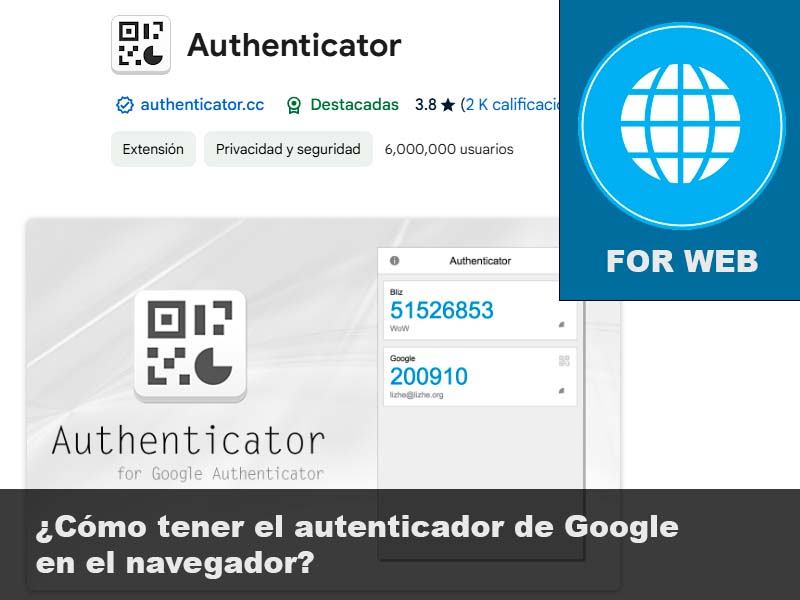
Two-factor authentication (2FA) has become a standard for online security. While many people use mobile apps like Google Authenticator, you can now enjoy this functionality directly from your browser. Here’s how.
What is Google Authenticator (2FA) and why use it in the browser?
The Google authenticator generates unique temporary codes that strengthen the security of your online accounts. When you have it in the browser:
- You maintain the same security as with the mobile app.
- You save time by not relying on your mobile phone.
- You centralize access on your PC, ideal for those who work from a desk.
To obtain the over-factor authentication codes from the browser (in our case, Google Chrome), we must install the following extension:
https://chromewebstore.google.com/detail/authenticator/bhghoamapcdpbohphigoooaddinpkbai
Note: This extension is available for Chrome, Edge, and Firefox

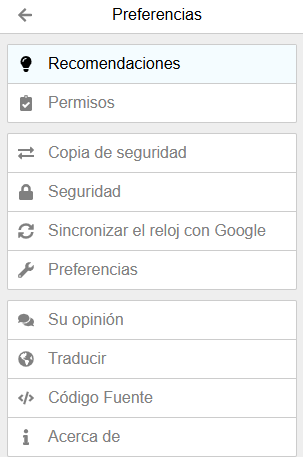
After installing and activating the extension, go to Preferences and Backup.
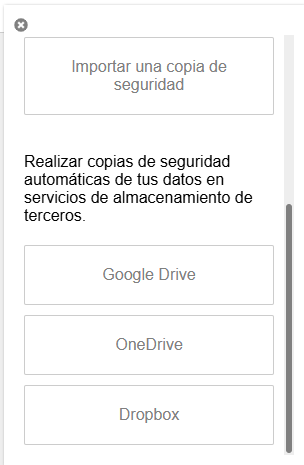
To import a backup, you can use the method that best suits your needs. (Text, QR code, Google Drive, OneDrive, Dropbox, etc.)
Benefits of having Google Authenticator enabled in your browser
- Enhanced Security: Protect your account against unauthorized access.
- Reduced Phishing Risk: Helps prevent phishing attacks.
- Flexibility: Use various verification methods, such as text codes, push notifications, or security keys.
- Quick Access: No need to switch between devices.
- Secure Synchronization: Some extensions allow you to synchronize codes across devices.
- Portability: Ideal for those who work on multiple devices.